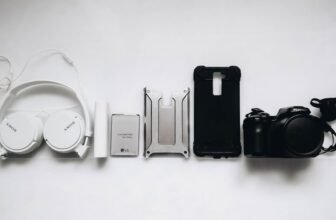
Must-Have Phone and Desk Accessories for Better Productivity
Small, well-chosen accessories can turn a cluttered, distracted desk into a focused, efficient workstation. The right phone and desk tools reduce friction—less time untangling cables, adjusting posture, or scrambling for a charger means more uninterrupted work blocks.
Below are practical, purchase-ready recommendations and setup tips that improve comfort, speed, and focus. For inspiration and curated finds, check recent popular items in Trending.
Ergonomic phone stands and multi-angle mounts
A dedicated phone stand keeps your device at eye level for video calls, reference material, and quick notifications without reaching or slouching. Look for adjustable-height stands with a solid base and anti-slip pads. If you switch between portrait and landscape often, choose a mount with rapid-rotation capability and cable routing so charging doesn’t interfere with placement.
Ergonomic setup reduces neck strain and helps maintain a consistent workflow when using phone-based apps alongside a computer—especially useful if you run quick timers, messaging apps, or two-factor auth from your phone. For device-focused accessories and mounts, see the latest in Electronics.
Fast charging hubs and tidy cable management
Power is productivity. A multi-port fast-charging hub or USB-C PD charger lets you top up phone, tablet, and headphones simultaneously. Combine that with labeled short cables for desktop reach and longer cables reserved for couch or bed use to avoid desk tangles.
For cable routing and clever small gadgets that simplify charging and connectivity, explore compact, space-saving finds in Unique Gadgets. Prioritize chargers with overcurrent protection and high-efficiency ratings to protect devices.
Wireless chargers and portable power banks
Wireless charging pads are best when positioned on the dominant side of your desk for easy one-handed placement. Choose Qi-certified pads that support your phone’s fast-charge profile and have good ventilation to avoid throttling. For remote work or commutes, a lightweight power bank with pass-through charging ensures your phone stays powered while you use it on the desk.
If you prefer curated, high-rated options that combine form and function, check Top Finds for staff-picked essentials and bestsellers.
Desk organization: trays, pen holders, and docking stations
Decluttering is the most immediate productivity boost. Use shallow trays for daily essentials (keys, wallet, notepad) and a vertical docking station for laptop, tablet, and phone to free up surface space. Small magnetic trays or silicone dishes are great for loose items like SIM tools and microSD cards.
When choosing organizers, opt for neutral materials (wood, matte metal) that coordinate with your workspace to reduce visual distraction. Browse functional storage and decor items in Home & Living to find pieces that match your setup.
Task lighting and adjustable ambient light
Proper lighting reduces eye strain and signals focus mode to your brain. A dimmable LED task lamp with adjustable color temperature lets you switch from warm light for low-energy tasks to cool, bright light for high-focus work. Position lamps so they illuminate the keyboard and note area without creating screen glare.
Consider small bias lights behind monitors for better contrast and reduced eye fatigue. For compact, desk-friendly lighting and practical home office tools, check options in Home Essentials.
Headphones and speakers to control your soundscape
Quality audio can dramatically improve concentration. Noise-cancelling headphones help when you need deep focus, while lightweight earbuds are better for frequent short calls. If your work benefits from ambient sound, a small desktop speaker with balanced mids and clear highs provides unobtrusive background music without distortion.
For gamers and creators who double as remote workers, consider headsets with clear mics and low-latency connections. Explore performance audio and headsets in the Gaming category for options that work well for both calls and media.
Multi-device keyboards, mice, and compact input accessories
A keyboard and mouse that switch between devices streamline workflows across phone, tablet, and PC. Low-profile mechanical or scissor-switch keyboards reduce finger fatigue. Compact, foldable Bluetooth keyboards are ideal for people who travel or change work locations often.
To keep your setup flexible and portable, prioritize devices with Bluetooth multipoint and a long battery life. If you pack a work bag or carry-on, pairing these with a slim protective sleeve or strap from Fashion & Accessories helps protect gear and keeps cables neat.
Greenery and desk comfort for sustained focus
Plants and small comfort items improve mood and air quality. Low-maintenance, compact plants like peace lilies or succulents add life without demanding much attention. A small wrist rest, adjustable footrest, or lumbar cushion prevents fatigue during long sessions.
Curate items that improve your immediate environment—a single plant for air and visual relief, and one ergonomic comfort piece for posture—rather than crowding the desk. Browse home-friendly office accents in Home & Living or specialty comfort items in Top Finds when assembling your toolkit.
Checklist: Quick essentials to add this week
- Sturdy adjustable phone stand (portrait & landscape)
- Multi-port fast charger + one short charging cable per device
- Wireless charging pad for easy top-ups
- Small docking station or vertical laptop stand
- Dimmable LED task lamp with adjustable color temp
- Noise-cancelling headphones or compact Bluetooth headset
- Compact keyboard/mouse with multi-device pairing
- One desk plant or air-purifying item and an ergonomic wrist rest
Conclusion — practical takeaway
Prioritize three changes you can implement now: elevate your phone with a stable stand, consolidate charging with a multi-port charger and short cables, and reduce visual clutter with a docking station or tray. Small, deliberate upgrades compound into measurable gains in comfort and uninterrupted focus.
FAQ
-
Q: Which single accessory improves productivity the most?
A: An adjustable phone stand—keeps your phone visible and hands-free, reducing interruptions from picking up the device and breaking workflow.
-
Q: Are wireless chargers slower than wired fast charging?
A: Generally yes—wired fast-charging (USB-C PD) is faster. Use wireless for convenience and wired for quick top-ups when time matters.
-
Q: How do I manage cables without expensive accessories?
A: Use short, dedicated cables for desk use, route them under the desk with adhesive cable clips, and label each cable to avoid confusion.
-
Q: Do plants really help at a desk?
A: Yes—plants can improve perceived air quality and reduce stress. Choose low-maintenance varieties if you travel or forget watering.
-
Q: What audio option is best for open-plan spaces?
A: Noise-cancelling headphones with a quality microphone for calls are the best compromise for blocking ambient noise while maintaining communication clarity.